

A technical SEO audit evaluates whether a website can be crawled, rendered, indexed, understood, and used efficiently by both search engines and visitors. Even strong content can underperform if search engines cannot access key pages, if duplicate URLs confuse indexing, or if slow performance creates poor user experience. A proper audit identifies technical problems that affect organic visibility, rankings, crawl efficiency, conversions, and long-term site maintenance. This guide from Avana explains how to run a technical SEO audit, what to check, which tools to use, how to prioritize issues, and how to measure improvements.
What Is a Technical SEO Audit?
A technical SEO audit is a structured review of a website’s infrastructure, crawlability, indexability, performance, internal linking, structured data, mobile usability, redirects, canonicals, security, and page experience. Its purpose is to find technical issues that prevent search engines from discovering, indexing, ranking, or properly understanding important pages.
A technical SEO audit should answer five core questions:
- Can search engines crawl the website efficiently?
- Are the right pages being indexed?
- Are duplicate, thin, or low-value pages controlled properly?
- Does the website load and function well on mobile and desktop?
- Are technical signals consistent across URLs, sitemaps, canonicals, redirects, and internal links?
The goal is not to find every possible issue. The goal is to identify the technical problems that most affect organic traffic, rankings, user experience, and business outcomes.
Why Technical SEO Matters for Site Health
Technical SEO is the foundation that allows content and authority to perform. A website with strong articles, service pages, or product pages may still struggle if search engines face crawling barriers, indexing confusion, slow loading, or poor architecture.
Technical SEO affects:
Technical SEO is especially important for large websites, ecommerce stores, marketplaces, publishers, SaaS websites, multilingual sites, and any website with complex URL structures.
When Should You Run a Technical SEO Audit?

A full technical SEO audit should be done before major website changes and repeated regularly for important websites. Smaller technical checks should happen more frequently.
Run a technical SEO audit when:
- Organic traffic drops without a clear content reason.
- Important pages are not indexed.
- A website redesign or migration is planned.
- New templates or CMS features are launched.
- The site has many duplicate URLs.
- Page speed or Core Web Vitals are poor.
- Google Search Console reports coverage issues.
- Rankings decline after technical changes.
- An ecommerce catalog expands.
- A multilingual or multi-location structure is added.
- Internal links, navigation, or URL structure changes.
- The website has not been audited in the last 6 to 12 months.
A technical audit should also be part of every serious SEO strategy before large-scale content production. Publishing more pages on a technically weak site can create more problems instead of more growth.
Technical SEO Audit Tools
A good audit usually requires multiple tools because no single platform shows every issue.
Start with Google Search Console and a crawler. Add performance, structured data, backlink, and log file tools when the website size or issue complexity requires deeper analysis.
Step 1: Check Crawlability

Crawlability measures whether search engines can discover and access website pages. If important pages cannot be crawled, they cannot rank.
Check these crawlability elements:
- robots.txt rules
- Internal links
- XML sitemap access
- Server response codes
- Broken pages
- Redirect chains
- JavaScript-rendered navigation
- Orphan pages
- Pagination
- Faceted navigation
- Crawl depth
- Blocked resources such as CSS or JavaScript
A common crawlability issue is blocking important sections accidentally through robots.txt. Another common issue is hiding links inside JavaScript elements that search engines may not process as reliably as standard HTML links.
Important pages should be reachable through crawlable internal links, not only through search forms, filters, or external links.
Step 2: Review Robots.txt
The robots.txt file tells search engine crawlers which areas of the site they are allowed or disallowed to crawl. It does not guarantee that blocked URLs will stay out of search results if other signals point to them, but it can prevent crawlers from accessing important pages.
Review robots.txt for:
Example problem:
Disallow: /blog/
If the blog is intended to rank, this rule can prevent search engines from crawling all blog articles. Robots.txt should be reviewed carefully after migrations, development pushes, and CMS changes.
Step 3: Analyze Indexability
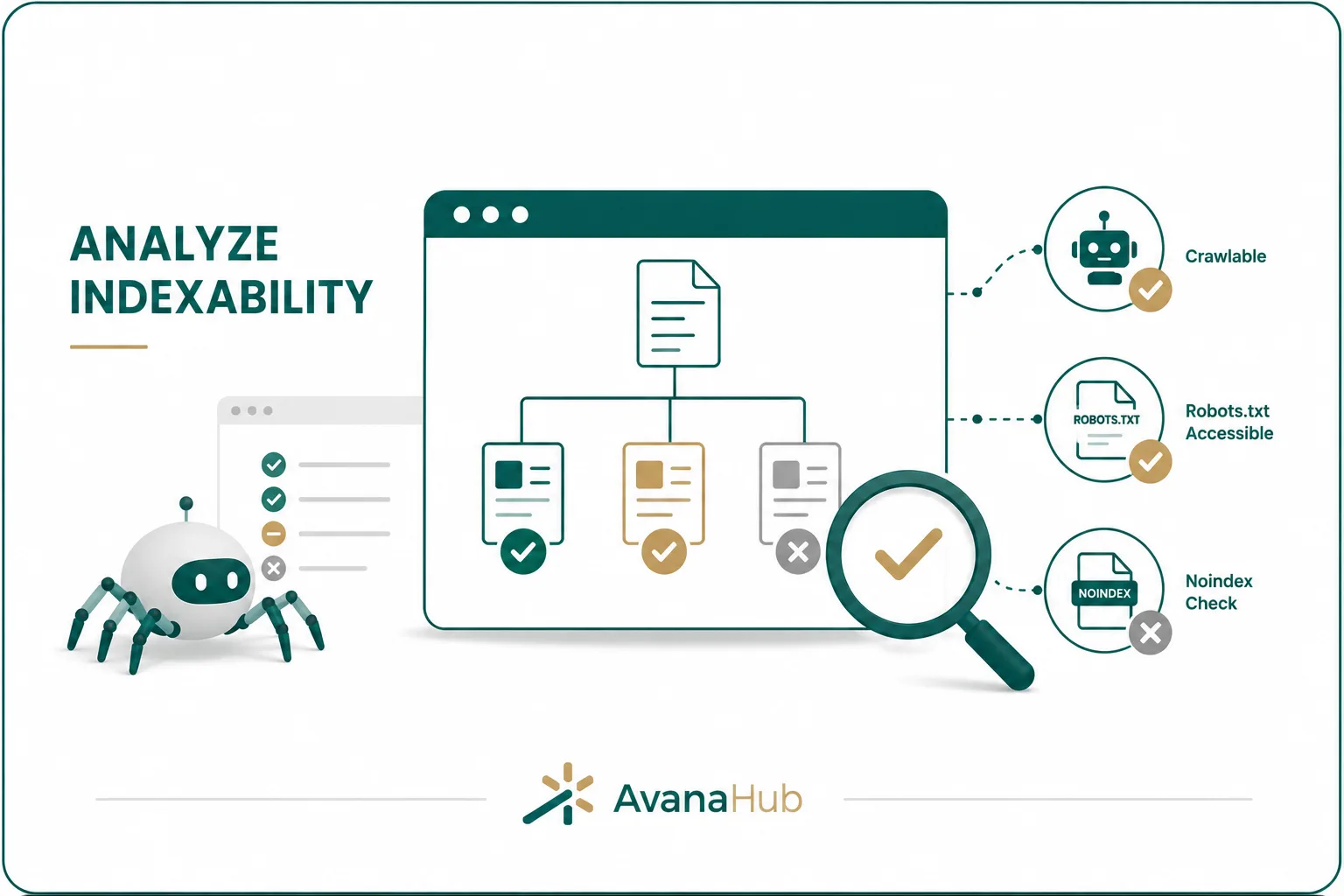
Indexability determines whether a page can be included in search results. A crawlable page is not automatically indexable.
Check whether important pages have:
- A 200 status code
- No noindex directive
- A correct canonical tag
- No conflicting robots directives
- Useful and unique content
- Internal links pointing to them
- Inclusion in the XML sitemap if appropriate
- No duplicate URL conflicts
- No soft 404 signals
Indexability problems often appear when important pages are accidentally marked noindex, canonicalized to another URL, blocked from crawling, or excluded because Google considers them duplicate or low-value.
Use Google Search Console to compare submitted URLs, indexed URLs, excluded URLs, and discovered but not indexed URLs. Then use a crawler to verify the technical signals at scale.
Step 4: Review XML Sitemaps
An XML sitemap helps search engines discover important URLs. It should include only canonical, indexable, high-value pages.
A clean XML sitemap should not include:
- Redirected URLs
- 404 pages
- Noindex pages
- Canonicalized duplicates
- Parameter URLs
- Internal search pages
- Thin tag pages
- Staging URLs
- HTTP versions if HTTPS is preferred
- URLs blocked by robots.txt
A sitemap is not a ranking booster by itself. Its value comes from helping search engines discover the right URLs and understand which pages the website considers important.
For large websites, split sitemaps by section, such as products, categories, blog posts, pages, images, or locations. This makes indexation monitoring easier.
Step 5: Audit Status Codes
HTTP status codes tell browsers and crawlers how a URL responds. Incorrect status codes can waste crawl budget, damage user experience, and weaken indexing signals.
Important status codes to review:
Priority fixes include server errors, broken internal links, important URLs returning 404, and redirect chains. Redirects should point directly to the most relevant final destination.
Step 6: Check Redirects
Redirects are necessary when URLs change, but poor redirect management can reduce crawl efficiency and create ranking problems.
Audit redirects for:
- Redirect chains
- Redirect loops
- Temporary redirects used permanently
- Old URLs redirecting to irrelevant pages
- Internal links pointing to redirected URLs
- HTTP to HTTPS consistency
- Non-www to www consistency, or the reverse
- Trailing slash inconsistencies
- Redirects after migrations
- Redirected URLs still listed in sitemaps
A good redirect sends users and search engines to the closest relevant replacement. Redirecting many unrelated pages to the homepage is usually a weak solution and can be treated as a soft 404 in some cases.
Step 7: Review Canonical Tags
Canonical tags tell search engines which version of a page should be treated as the preferred URL when similar or duplicate versions exist.
Check canonical tags for:
- Missing canonicals
- Canonicals pointing to non-indexable URLs
- Canonicals pointing to redirected URLs
- Self-referencing canonicals on important pages
- Duplicate pages without clear canonicals
- Product variants
- Parameter URLs
- HTTP/HTTPS conflicts
- Cross-domain canonicals
- Pagination and category pages
Canonical tags are signals, not absolute commands. If internal links, sitemaps, redirects, and canonicals send conflicting messages, search engines may ignore the canonical.
A strong canonical setup should align with internal linking, sitemap inclusion, and preferred URL structure.
Step 8: Find Duplicate Content and URL Variants
Duplicate content can split ranking signals and confuse search engines about which page should rank. Technical duplication is especially common on ecommerce, CMS-driven, multilingual, and filtered websites.
Common duplicate URL patterns include:
- HTTP and HTTPS versions
- www and non-www versions
- Trailing slash and non-trailing slash versions
- Uppercase and lowercase URLs
- URL parameters
- Sort and filter pages
- Printable versions
- Session IDs
- Tag and archive pages
- Product variant pages
- Search result pages
Duplicate content is not always harmful, but uncontrolled duplication can waste crawling resources and dilute relevance. Use canonicals, redirects, noindex tags, parameter controls, and internal link consistency to manage duplicates.
Step 9: Evaluate Site Architecture
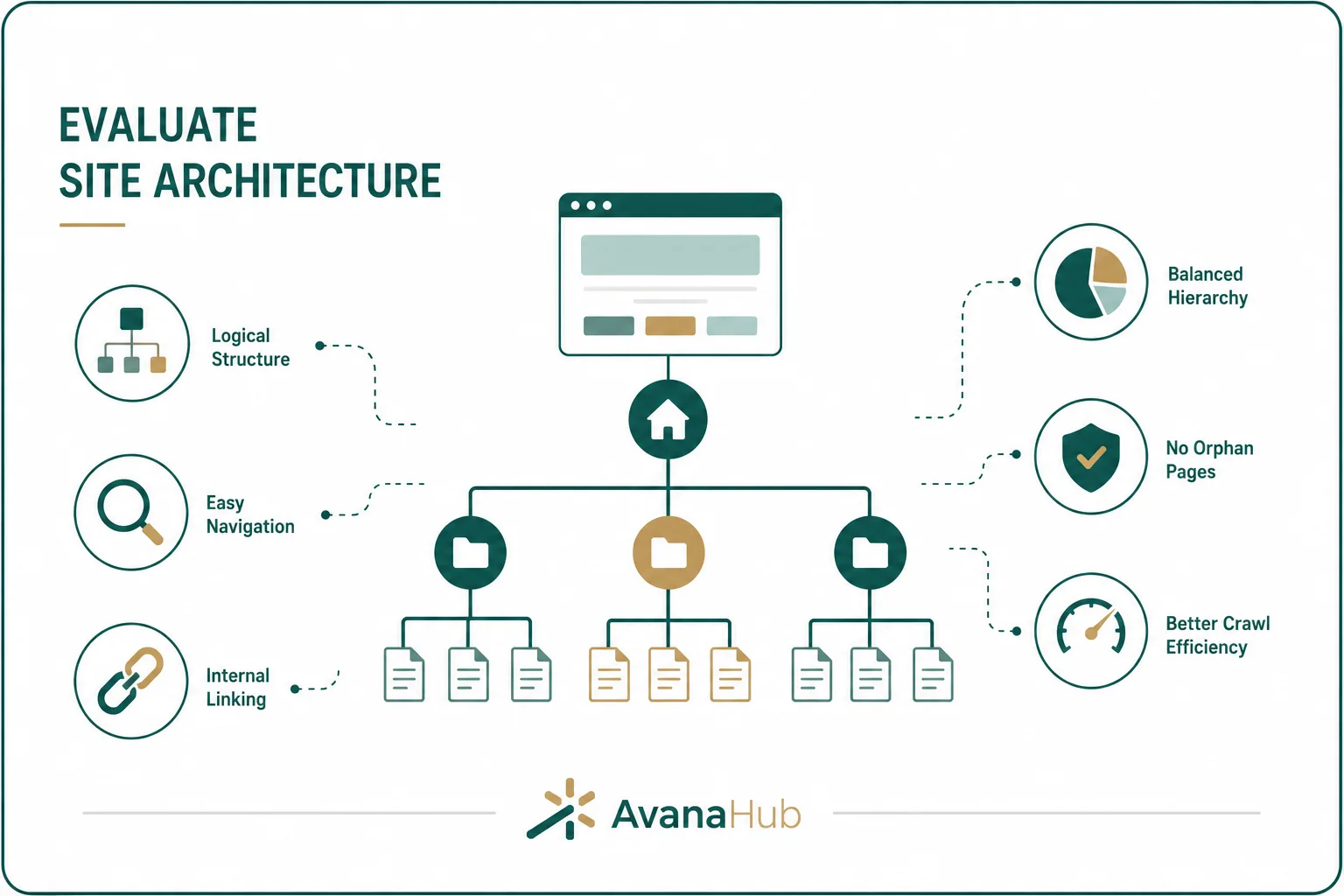
Site architecture affects how users and crawlers move through the website. Important pages should not be buried too deeply or disconnected from relevant sections.
Audit architecture by checking:
- Main navigation
- Footer links
- Breadcrumbs
- Category hierarchy
- Blog taxonomy
- Internal link depth
- Orphan pages
- Topic clusters
- Pagination
- Related content modules
- Product and category relationships
Important commercial pages should usually be reachable within a few clicks from the homepage or main navigation. Supporting content should link naturally to related service, product, category, or pillar pages.
A flat but organized structure usually works better than a deep, confusing hierarchy where key pages are difficult to find.
Step 10: Audit Internal Links
Internal links help search engines discover pages, understand relevance, and distribute authority. They also help users continue their journey.
Check internal links for:
Use descriptive anchor text that reflects the destination page. For example, “technical SEO audit checklist” is more useful than “read more” when linking to a technical audit guide.
Step 11: Check Mobile Usability
Most users interact with websites on mobile devices, and mobile usability affects engagement, conversions, and search performance.
Review mobile usability for:
- Responsive layout
- Font readability
- Button and tap target size
- Navigation usability
- Form completion
- Table responsiveness
- Pop-up behavior
- Image scaling
- Content overflow
- Sticky elements
- Checkout or lead form friction
- Page speed on mobile networks
A page can pass basic mobile-friendly checks but still perform poorly for users. Manual testing on real devices is important for key templates such as homepage, blog posts, service pages, category pages, product pages, checkout pages, and lead forms.
Step 12: Audit Page Speed and Core Web Vitals
Page speed affects user experience, crawl efficiency, and conversion performance. Core Web Vitals measure loading, responsiveness, and visual stability.
Key metrics include:
Common performance improvements include:
- Compressing and resizing images
- Using WebP or AVIF where appropriate
- Reducing unused JavaScript
- Removing unnecessary third-party scripts
- Improving server response time
- Using caching and CDN delivery
- Preloading critical resources
- Lazy-loading non-critical images
- Reserving space for media and ads
- Minifying CSS and JavaScript
- Deferring non-critical scripts
Prioritize real-user performance data over lab scores when available. Lab tools are useful for diagnosis, but field data shows what actual users experience.
Step 13: Review JavaScript Rendering
JavaScript can create SEO issues when important content or links are not available in the initial HTML or are difficult for search engines to render.
Audit JavaScript SEO by checking:
- Whether main content appears in rendered HTML
- Whether internal links use crawlable anchor tags
- Whether metadata changes after rendering
- Whether canonical tags are stable
- Whether lazy-loaded content is discoverable
- Whether navigation works without user interaction
- Whether pagination or infinite scroll has crawlable URLs
- Whether structured data appears in rendered output
For important SEO pages, avoid relying entirely on client-side rendering for essential content and links. Server-side rendering, static rendering, or hybrid rendering often creates more reliable SEO performance.
Step 14: Validate Structured Data
Structured data helps search engines understand page content and may make pages eligible for rich results. It must accurately match visible content.
Review structured data for:
- Syntax errors
- Unsupported schema types
- Missing required properties
- Incorrect product prices or availability
- FAQ schema that does not match visible FAQs
- Review markup that violates guidelines
- Organization and local business accuracy
- Breadcrumb schema
- Article or BlogPosting schema
- Product, event, recipe, course, or video schema where relevant
Structured data should never be used to describe content that users cannot see. Misleading schema can create manual action risk and reduce trust.
Step 15: Audit Metadata
Metadata helps search engines and users understand page topics. It also affects search result appearance and click-through rate.
Check:
- Missing title tags
- Duplicate title tags
- Titles that are too long or too vague
- Missing meta descriptions
- Duplicate meta descriptions
- H1 mismatch with page topic
- Multiple unnecessary H1s
- Poorly structured headings
- Missing image alt text
- Open Graph and social metadata for shareable pages
Title tags should be unique, concise, keyword-relevant, and accurate. Meta descriptions should summarize the page’s value without exaggeration.
Metadata alone rarely fixes major SEO problems, but poor metadata can reduce relevance and click-through performance.
Step 16: Check Content Quality From a Technical Perspective
Technical SEO audits should also identify technical content problems. This does not replace a content audit, but it helps reveal pages that may weaken index quality.
Look for:
- Thin pages with little unique value
- Duplicate pages
- Empty category pages
- Auto-generated tag pages
- Internal search result pages
- Outdated pages still indexed
- Low-value archives
- Doorway-style location pages
- Product pages with manufacturer-only descriptions
- Pages with no internal links
- Pages with high impressions but low CTR
- Pages indexed despite no strategic value
For low-value pages, decide whether to improve, merge, canonicalize, noindex, redirect, or remove them. Do not noindex pages without checking whether they receive traffic, links, or conversions.
Step 17: Audit Images and Media
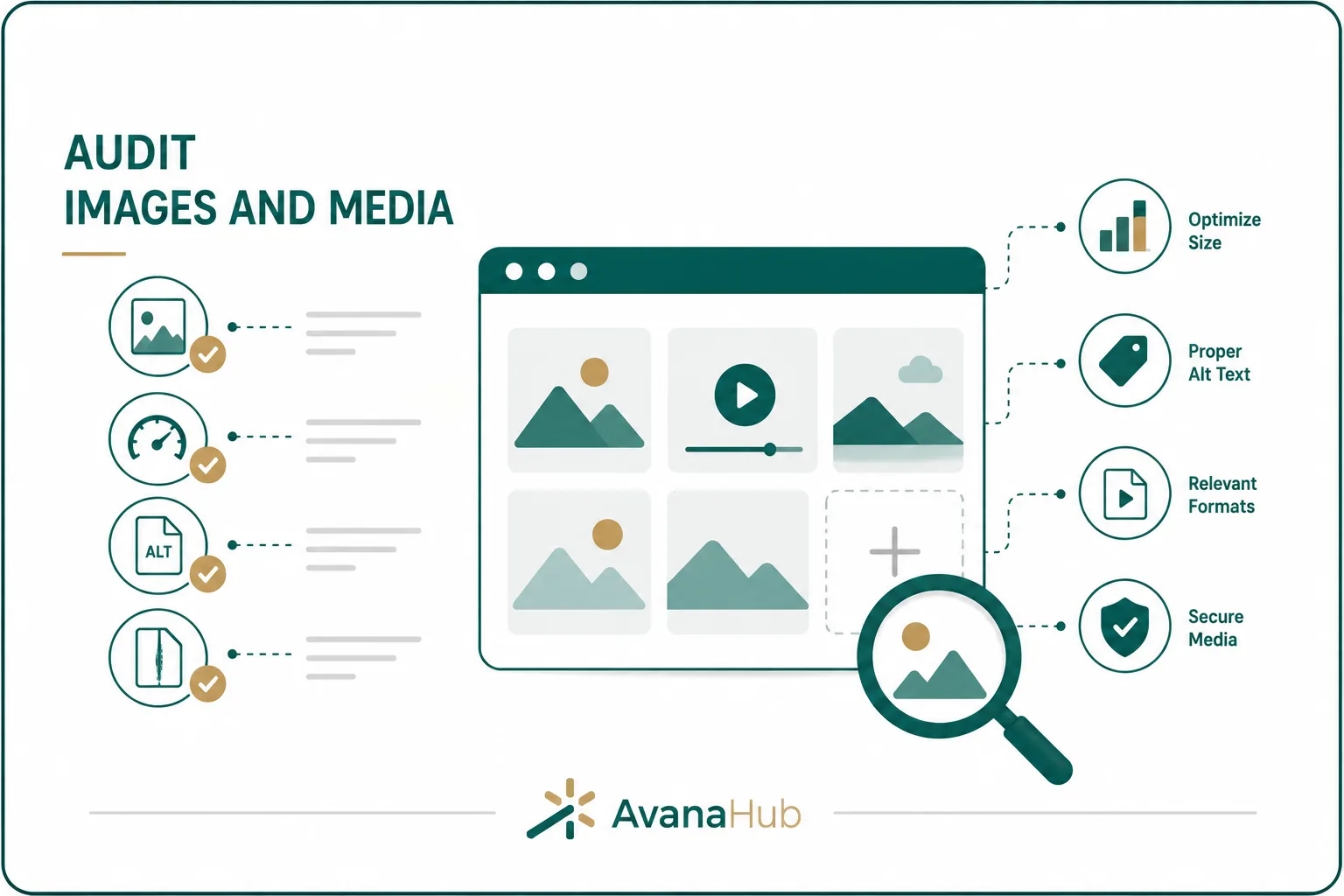
Images and media can affect performance, accessibility, and search visibility. Large files are one of the most common causes of slow pages.
Review media for:
- Oversized images
- Uncompressed files
- Missing alt text
- Decorative images with unnecessary alt text
- Broken image URLs
- Missing width and height attributes
- Lazy-loading issues
- Video embeds slowing pages
- Images loaded from unstable external sources
- Duplicate image files
- Poor file naming
Use descriptive filenames and accurate alt text where images provide meaning. Compress images before upload and avoid using large desktop images on mobile layouts.
Step 18: Check HTTPS and Security Signals
HTTPS is expected for modern websites. Security issues can affect user trust, browser warnings, and conversion rates.
Audit security basics:
- All important pages use HTTPS.
- HTTP URLs redirect to HTTPS.
- No mixed content warnings appear.
- SSL certificate is valid and not close to expiration.
- Canonicals use HTTPS.
- Sitemaps include HTTPS URLs.
- Internal links point to HTTPS versions.
- Security headers are configured where appropriate.
- Forms submit securely.
- Checkout and login pages are protected.
Security is not only a technical SEO issue. It directly affects whether users trust the website enough to submit information, book a service, or complete a purchase.
Step 19: Review Hreflang for Multilingual or Multiregional Sites
Hreflang helps search engines serve the correct language or regional version of a page. It is important for websites targeting multiple countries or languages.
Check hreflang for:
- Correct language and region codes
- Self-referencing hreflang
- Return tags between alternate pages
- Canonicals aligned with hreflang URLs
- No hreflang pointing to redirected or noindex pages
- Consistent implementation across page sets
- Correct x-default usage where appropriate
- Language versions with equivalent content purpose
Hreflang mistakes can cause the wrong regional page to rank or prevent search engines from understanding alternate versions.
Step 20: Analyze Log Files for Crawl Behavior
Log file analysis shows how search engine bots actually crawl the website. This is especially useful for large sites where crawl budget matters.
Log files can reveal:
- Which pages Googlebot crawls most often
- Which important pages are rarely crawled
- Crawl waste on parameters or low-value pages
- Server errors encountered by bots
- Redirect chains hit by crawlers
- Crawl frequency by section
- Bot behavior after migrations
- Difference between sitemap URLs and crawled URLs
For small websites, log analysis may not be necessary every month. For large ecommerce, publisher, marketplace, or enterprise websites, it can reveal issues that standard crawlers do not show.
Step 21: Review Analytics and Search Console Data
A technical audit should connect crawl data with performance data. Not every technical issue has equal business impact.
Review:
- Organic traffic by page
- Organic conversions by page
- Search impressions
- Click-through rate
- Average position
- Indexed vs non-indexed pages
- Pages with declining clicks
- Pages with high impressions but low CTR
- Pages with traffic but poor engagement
- Landing pages affected by technical issues
- Mobile vs desktop performance
- Country or language performance
Prioritize technical fixes that affect pages with revenue potential, high impressions, important rankings, backlinks, or strategic value.
Technical SEO Audit Checklist
Use this checklist to review site health efficiently:
This checklist should be adapted based on website type. An ecommerce site needs deeper product, category, filter, and schema checks. A service website may need more focus on indexability, page speed, local signals, and conversion pages.
How to Prioritize Technical SEO Issues
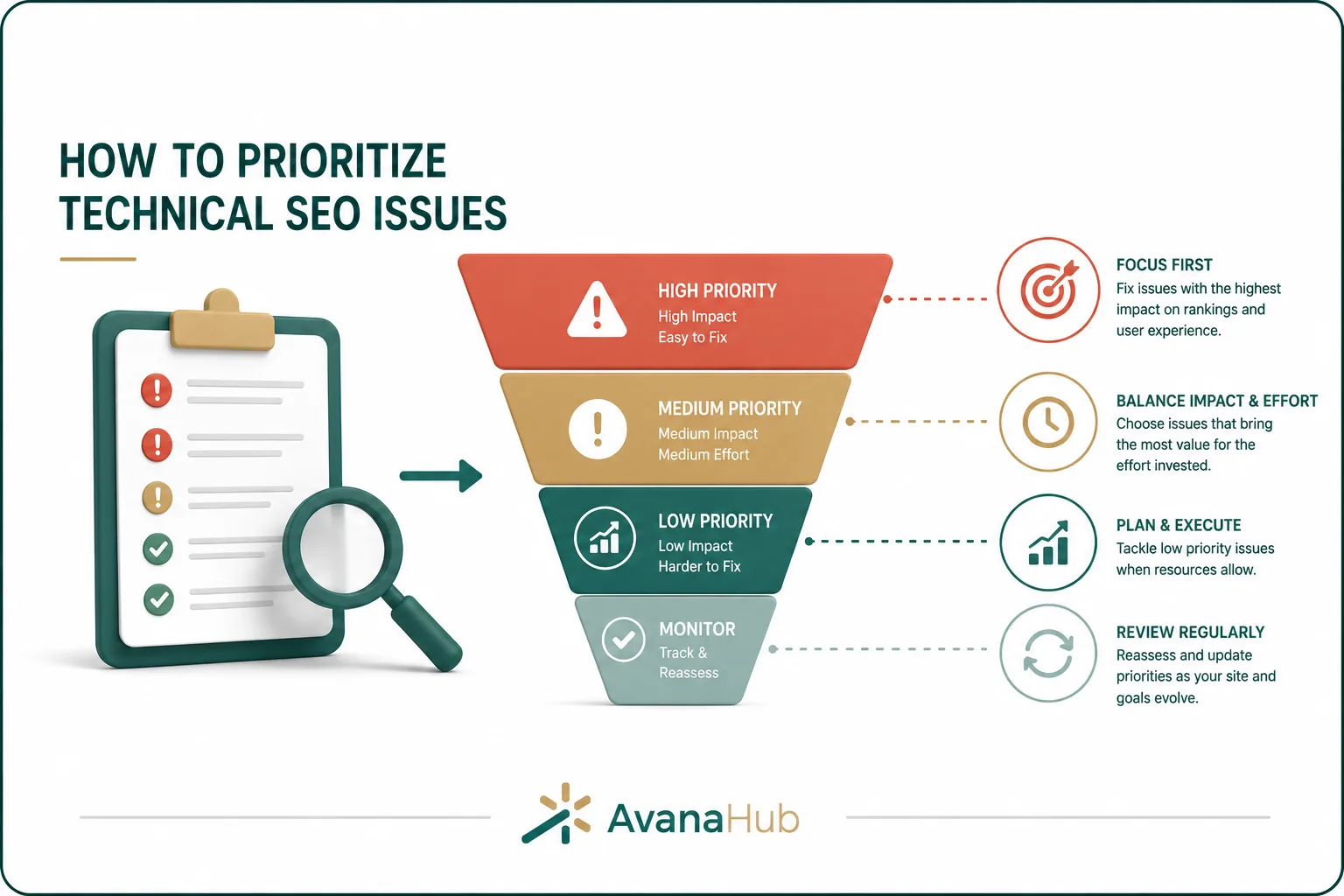
Not every technical issue deserves immediate attention. Prioritization prevents teams from wasting time on low-impact fixes.
Use this framework:
Score each issue by:
- Number of affected URLs
- Importance of affected pages
- Organic traffic impact
- Conversion impact
- Crawl/indexing severity
- Implementation difficulty
- Risk of change
- Dependency on developers
- Time needed to validate results
A small issue on a high-revenue page can be more important than a large issue on low-value archive pages.
A Practical Technical SEO Audit Workflow
Many audits fail because they produce long issue lists without a clear execution process. Use this workflow to turn findings into action.
1. Define the Audit Scope
Before crawling the site, define:
- Website sections included
- Primary business goals
- Main page templates
- Target markets or languages
- Known traffic drops
- Recent website changes
- CMS or platform limitations
- Required tools and data access
- Priority pages
This prevents the audit from becoming too broad and unfocused.
2. Crawl the Website
Run at least one full crawl with a tool such as Screaming Frog or Sitebulb. For large sites, crawl by section or template first.
Collect:
- URLs
- Status codes
- Title tags
- Meta descriptions
- H1s
- Canonicals
- Directives
- Internal links
- Crawl depth
- Word count
- Images
- Structured data
- Response time
- Inlinks and outlinks
Compare crawl data with sitemap URLs and Google Search Console data. Differences between these sources often reveal important issues.
3. Segment Issues by Template
Do not only list affected URLs. Identify the template or system creating the issue.
Examples:
Template-level fixes are more efficient than editing individual pages manually.
4. Connect Issues to Business Impact
For each major issue, ask:
- Does it affect pages that should rank?
- Does it affect pages that convert?
- Does it prevent crawling or indexing?
- Does it affect many pages or one page?
- Does it harm user experience?
- Does it create duplicate or low-quality indexation?
- Does it affect mobile users?
- Does it affect international targeting?
An audit becomes useful when it connects technical findings to ranking, traffic, conversion, or maintenance outcomes.
5. Create an Implementation Roadmap
Organize fixes into phases:
Each task should include the issue, affected pages, recommended fix, priority, owner, risk level, and validation method.
6. Validate After Deployment
Technical SEO fixes should always be checked after implementation.
Validation steps include:
- Recrawl affected URLs.
- Inspect pages in Google Search Console.
- Confirm status codes.
- Check rendered HTML.
- Review canonicals and directives.
- Test redirects.
- Revalidate structured data.
- Review mobile behavior.
- Monitor indexing changes.
- Track impressions, clicks, and rankings over time.
Do not assume a developer ticket is complete just because it was marked done. SEO validation must confirm that the live page sends the correct signals.
Common Technical SEO Audit Mistakes
Technical audits often fail because they focus on volume instead of impact. Common mistakes include:
- Reporting every warning without prioritization
- Ignoring Google Search Console data
- Auditing only desktop pages
- Missing JavaScript rendering issues
- Treating all duplicate content as equally harmful
- Recommending noindex without checking traffic or links
- Ignoring page templates
- Focusing only on metadata
- Forgetting conversion impact
- Not checking staging rules after launch
- Leaving redirected URLs in internal links
- Ignoring crawl depth
- Not validating fixes after deployment
- Failing to document changes
The most expensive mistake is making broad technical changes without understanding which pages generate organic traffic, leads, or revenue.
Technical SEO KPIs to Measure After an Audit
Technical SEO improvements should be measured with both technical and business metrics.
Technical fixes may not immediately increase traffic. First, expect improvements in crawlability, indexation, performance, and error reduction. Rankings and conversions may follow after search engines recrawl and reassess the affected pages. For a deeper look at SEO timelines, you can also read our article, How Long Does SEO Take to Work.
Technical SEO Audit Frequency
Audit frequency depends on website size, complexity, and publishing activity.
Large and frequently updated websites should not rely only on occasional audits. They need ongoing monitoring for crawl errors, broken links, performance, indexation, and template changes.
Conclusion
A technical SEO audit improves site health by identifying the issues that affect crawling, indexing, performance, structured data, mobile usability, internal linking, and search visibility. As part of The Complete SEO Guide, this process shows how technical foundations support stronger organic performance. The most useful audits do not only list problems; they prioritize fixes based on page importance, business impact, technical severity, and implementation effort. Search engines need consistent technical signals across robots.txt, sitemaps, canonicals, redirects, internal links, and page content to evaluate a website correctly. A strong audit process includes crawling, data comparison, issue segmentation, implementation planning, and validation after deployment.
What is the main goal of a technical SEO audit?
The main goal is to find and fix technical issues that prevent search engines from crawling, indexing, understanding, or ranking important pages effectively.
How long does a technical SEO audit take?
A small website audit may take a few hours, while a large ecommerce or enterprise audit can take several days or weeks depending on site size, data access, and issue complexity.
Is technical SEO more important than content?
Technical SEO makes ranking possible, while content gives pages a reason to rank. Both are necessary for sustainable organic performance.
Can technical SEO fixes improve rankings quickly?
Some fixes can improve rankings within days or weeks, especially if they resolve crawl, indexation, or performance issues on important pages. Other changes need more time to show impact.
What should be fixed first in a technical SEO audit?
Fix issues that block crawling, indexing, or conversions first. Examples include noindexed priority pages, server errors, broken important URLs, bad canonicals, and severe mobile or speed problems.