
On-page SEO is the process of optimizing a blog post so search engines can understand its topic and users can quickly find the information they need. A well-optimized blog post does not rely on keyword repetition; it uses clear structure, search intent alignment, useful content, internal links, metadata, and strong user experience. For business websites, on-page SEO helps blog content attract qualified organic traffic and support broader goals such as lead generation, product education, and brand authority. This checklist from Avana covers the practical steps needed to prepare, optimize, publish, and improve SEO blog posts.
What Is the On-Page SEO Checklist for Blog Posts?
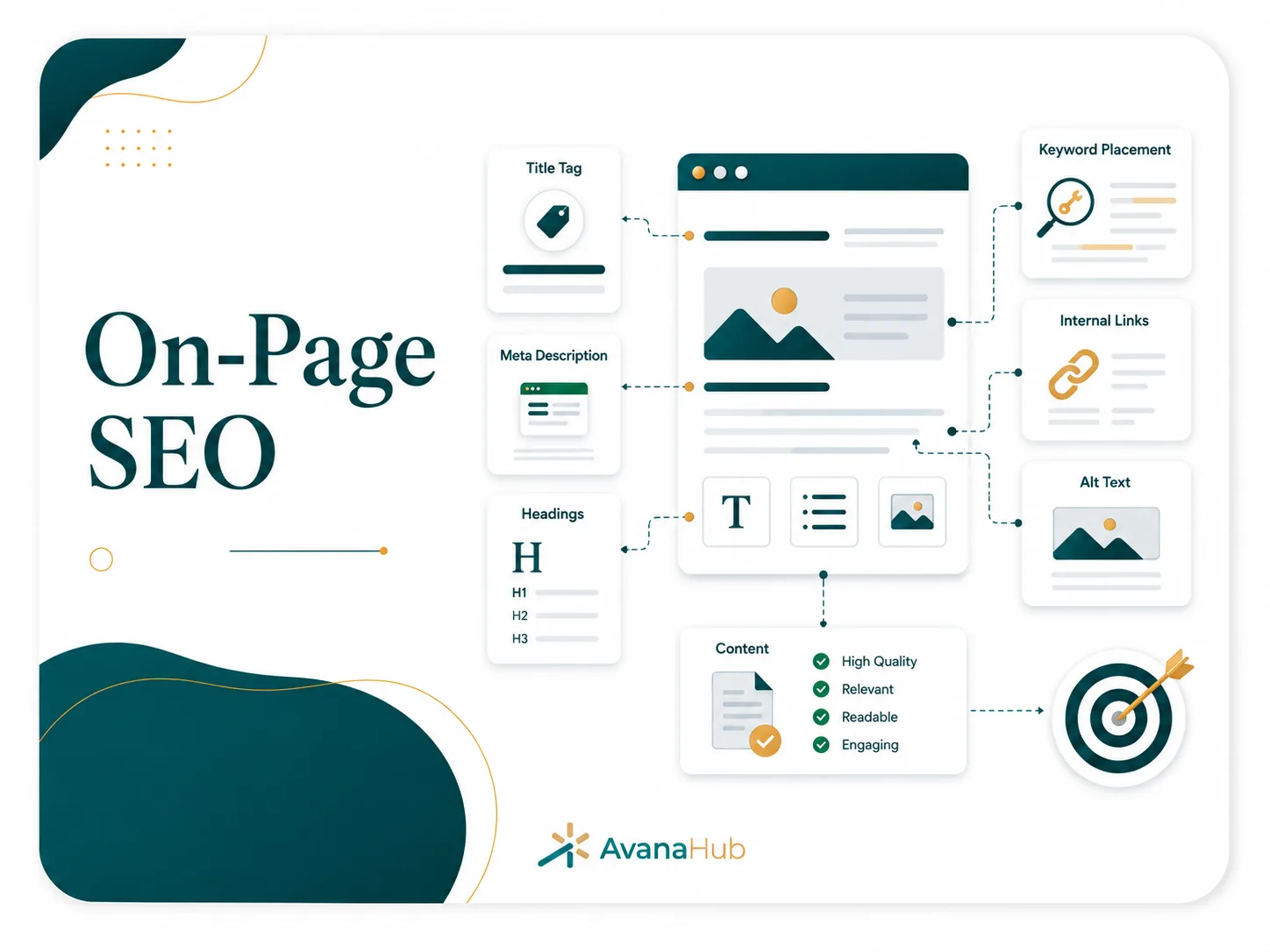
An on-page SEO checklist for blog posts is a structured list of actions used to optimize content before and after publishing. It helps ensure the article targets the right keyword, matches search intent, uses clear headings, includes helpful information, loads properly, links to relevant pages, and gives search engines enough context to rank it.
The essential on-page SEO checklist includes:
- Choose one primary keyword and related secondary terms.
- Analyze search intent before writing.
- Write a clear SEO title and H1.
- Use a concise, useful introduction.
- Organize the article with logical H2 and H3 headings.
- Answer the main query early.
- Cover related questions and subtopics.
- Add internal links to relevant pages.
- Optimize images with compression and alt text.
- Write a compelling meta description.
- Use a short, descriptive URL slug.
- Add schema markup where relevant.
- Check mobile readability and page speed.
- Include a clear next step for the reader.
- Monitor rankings, clicks, and engagement after publishing.
The purpose is not to satisfy a checklist mechanically. The goal is to create a page that is easy to understand, useful to readers, and technically clear for search engines.
Step 1: Identify the Primary Keyword
Every blog post should have one main keyword or keyword theme. This gives the article a clear purpose and prevents it from becoming too broad.
A good primary keyword should have:
For example, “on-page SEO checklist for blog posts” is a strong blog keyword because users are looking for a practical guide or checklist, not a service page.
Avoid targeting several unrelated keywords in one article. If the topics require different search intents, create separate pages and connect them through internal links.
Step 2: Analyze Search Intent Before Writing
Search intent is the reason behind a query. If the blog post does not match what users expect, it may not rank even if the keyword appears in the right places.
For a checklist-style keyword, users usually want:
- A direct list of tasks
- Clear explanations of each task
- Practical examples
- A sequence they can follow before publishing
- Mistakes to avoid
- Tools to verify implementation
Before writing, review the dominant result types for the target keyword. If the top results are checklists, templates, or guides, the article should follow that practical format. If the top results are product pages, category pages, or tools, a blog post may not be the best page type.
Search intent should shape the article’s structure, depth, examples, and call to action.
Step 3: Build the Outline Around User Needs
A strong SEO outline reduces rewriting and improves topical coverage. The outline should answer the main query first, then move into supporting details in a logical order.
A useful blog post outline includes:
The outline should not include headings that repeat the same point in different wording. Each section must add new information or help the reader make a better decision.
Step 4: Write an SEO-Friendly H1
The H1 is the main visible title of the page. It should clearly describe the topic and usually include the primary keyword or a close variation.
Effective H1 examples:
Weak H1 examples:
A blog post should usually have one H1. Subsections should use H2 and H3 headings in a logical hierarchy.
Step 5: Optimize the SEO Title Tag
The SEO title tag appears in search results and browser tabs. It is one of the most important on-page elements for relevance and click-through rate.
A strong title tag should:
- Include the primary keyword naturally.
- Communicate the page’s value.
- Match search intent.
- Stay readable on mobile.
- Avoid exaggerated claims.
- Be distinct from other pages on the site.
- Usually stay within 50 to 60 characters when possible.
Examples:
Do not create a title that promises something the article does not deliver. Misleading titles can increase clicks temporarily but reduce trust, engagement, and conversion quality.
Step 6: Write a Useful Meta Description
The meta description does not directly guarantee rankings, but it can influence click-through rate when shown in search results. It should summarize the page’s value in clear language.
A good meta description should:
- Explain what the reader will learn.
- Include the primary keyword or a close variation naturally.
- Stay under 155 characters where possible.
- Avoid generic phrases.
- Match the actual content.
- Include a practical benefit.
Example:
“Use this on-page SEO checklist to optimize blog posts for keywords, headings, metadata, internal links, images, UX, and performance.”
A weak meta description would be:
“Learn everything about SEO and improve your website with the best tips and tricks.”
The second example is vague, overpromising, and does not show what the page specifically covers.
Step 7: Use a Short, Descriptive URL Slug
The URL slug should be easy to read and understand. It should usually include the main keyword without unnecessary words.
Good URL examples:
- /on-page-seo-checklist/
- /blog-post-seo-checklist/
- /on-page-seo-blog-posts/
Poor URL examples:
- /blog/2026/06/16/post?id=347/
- /the-ultimate-amazing-guide-to-on-page-search-engine-optimization-for-all-blog-posts/
- /seo-tips-random-list/
A good slug is short, stable, lowercase, and descriptive. Avoid dates unless the date is essential to the content because dated URLs can make evergreen articles look outdated.
Step 8: Place the Main Answer Early
Users should not have to scroll through long background sections before getting the answer. For SEO blog posts, the first major section after the introduction should provide the direct answer.
For checklist queries, this section can include:
- A short definition
- A compact list of checklist items
- A table summarizing key steps
- A direct recommendation
This improves usefulness and increases the chance of winning featured snippets or AI-generated search summaries. The rest of the article should then expand on the checklist with implementation details.
Step 9: Structure Headings Logically
Headings help users scan the article and help search engines understand the page structure. Each heading should describe the section clearly.
Best practices for headings:
- Use H2s for main sections.
- Use H3s for subsections under a specific H2.
- Include keywords naturally where relevant.
- Avoid repeating the same keyword in every heading.
- Do not skip heading levels unnecessarily.
- Make headings specific enough to be useful.
- Avoid clever or vague headings.
Example structure:
A logical heading structure improves readability, accessibility, and content organization.
Step 10: Use Keywords Naturally
Keyword optimization still matters, but modern SEO is not about repeating the exact phrase as often as possible. Search engines understand related terms, entities, context, and topic coverage.
For a blog post about on-page SEO, related terms may include:
- Blog SEO checklist
- SEO title
- Meta description
- Search intent
- Internal linking
- Header tags
- Image alt text
- URL slug
- Content optimization
- Featured snippet
- Structured data
- Page experience
- Core Web Vitals
- Organic rankings
Use the primary keyword in important places such as the title tag, H1, introduction, URL, and relevant headings. Use secondary terms where they naturally fit. Avoid inserting keywords into sentences where they reduce clarity.
Step 11: Write for Readability and Information Gain
Readability affects how quickly users can understand the article. Information gain affects whether the page adds something useful beyond what already exists in search results.
Improve readability by:
- Using short paragraphs
- Explaining one idea at a time
- Avoiding unnecessary jargon
- Using tables for comparisons
- Using bullets for true lists
- Placing examples near instructions
- Removing filler sentences
- Writing direct definitions
- Making the article scannable
Improve information gain by adding:
- Practical workflows
- Real examples
- Decision frameworks
- Checklists
- Common mistakes
- Tool recommendations
- Measurement methods
- First-hand observations from actual SEO work
A blog post that repeats generic advice without practical depth may be indexed, but it is less likely to earn strong rankings in competitive results.
Step 12: Add Internal Links Strategically
Internal links help users move to related content and help search engines understand page relationships. They also distribute authority across the website.
A blog post should link to:
- Relevant pillar pages
- Related blog posts
- Service pages where appropriate
- Product or feature pages when useful
- Case studies or examples
- Definitions or supporting resources
For example, an article about on-page SEO can link to pages about keyword research, technical SEO audits, Core Web Vitals, SEO content writing, and link building.
Internal linking best practices:
Internal links should be placed where they help the reader, not only where the keyword appears.
Step 13: Optimize Images
Images can improve comprehension, but unoptimized images can slow the page and weaken user experience. Every image should have a clear purpose.
Image optimization checklist:
- Use descriptive filenames.
- Compress images before uploading.
- Use modern formats such as WebP where appropriate.
- Set correct image dimensions.
- Add alt text that describes meaningful image content.
- Avoid stuffing keywords into alt text.
- Lazy-load non-critical images.
- Reserve image space to prevent layout shifts.
- Use screenshots or diagrams only when they add value.
Example filename:
- good: on-page-seo-checklist-example.webp
- poor: IMG_4829.png
Example alt text:
- good: “Example of an SEO blog post checklist organized by title, headings, links, and images”
- poor: “SEO SEO checklist best SEO blog post SEO”
Alt text should support accessibility first. SEO benefit comes from accurate description, not keyword repetition.
Step 14: Improve Page Speed and Mobile Experience
A blog post must be easy to read and interact with on mobile devices. Many users discover content through mobile search, and poor performance can reduce engagement and conversions.
Check:
- Mobile font size
- Tap target spacing
- Table responsiveness
- Image loading
- Pop-up behavior
- Content width
- Form usability
- Navigation clarity
- Loading speed
- Layout stability
Important page experience metrics include Largest Contentful Paint, Interaction to Next Paint, and Cumulative Layout Shift. These metrics help evaluate whether the page loads quickly, responds smoothly, and avoids unexpected movement.
Common improvements include reducing unused scripts, compressing media, caching resources, improving hosting performance, limiting third-party tags, and using a lightweight design.
Step 15: Add Schema Markup When Relevant
Schema markup helps search engines understand page elements more clearly. It does not guarantee rich results, but it can support better interpretation of the content.
Useful schema types for blog posts include:
Schema should match visible content on the page. Do not add FAQ schema for questions that users cannot see. Do not use misleading structured data to gain rich results.
Step 16: Add Author, Date, and Trust Signals
Trust signals help users evaluate whether the content is reliable. They also support stronger quality perception, especially for business, finance, legal, health, and technical topics.
Useful trust elements include:
- Author name
- Author bio
- Relevant experience or role
- Publication date
- Last updated date
- Editorial review where appropriate
- Sources for factual claims
- Contact information
- Clear company information
- Privacy and policy pages
- Case studies or examples
For evergreen SEO content, the “last updated” date is often useful because tactics, tools, and search features change over time. The date should reflect a real review, not a cosmetic change.
Step 17: Optimize for Featured Snippets
Featured snippets often pull concise answers, lists, tables, or definitions from well-structured pages. To increase eligibility, format key answers clearly.
Use:
- Direct definitions in 40 to 60 words
- Numbered steps for processes
- Tables for comparisons
- Short bullet lists for checklists
- Clear question-based headings
- Concise answers under FAQ questions
Example snippet-ready answer:
“On-page SEO for blog posts means optimizing the content, HTML elements, internal links, images, metadata, and user experience of an article so search engines can understand it and users can find answers quickly.”
Do not write unnaturally just to target snippets. The answer should be useful even if it never appears as a featured result.
Step 18: Include a Relevant Call to Action
A blog post should guide readers to a logical next step. The CTA depends on search intent and funnel stage.
Examples:
Avoid forcing a sales CTA into every section. A reader looking for a checklist may first need a downloadable template, related article, or audit page before becoming ready to contact a business.
Step 19: Review Before Publishing
Before publishing, review the post from the perspective of both a user and a search engine.
Pre-publishing checklist:
Publishing without this review often leads to avoidable ranking and conversion issues.
Step 20: Monitor and Improve After Publishing
On-page SEO continues after publication. Search performance data shows whether the page is reaching the right users and where improvements are needed.
Track these metrics:
Optimization actions after publishing may include updating the title, expanding weak sections, adding FAQs, improving internal links, adding missing examples, compressing media, or refreshing outdated information.
Common On-Page SEO Mistakes
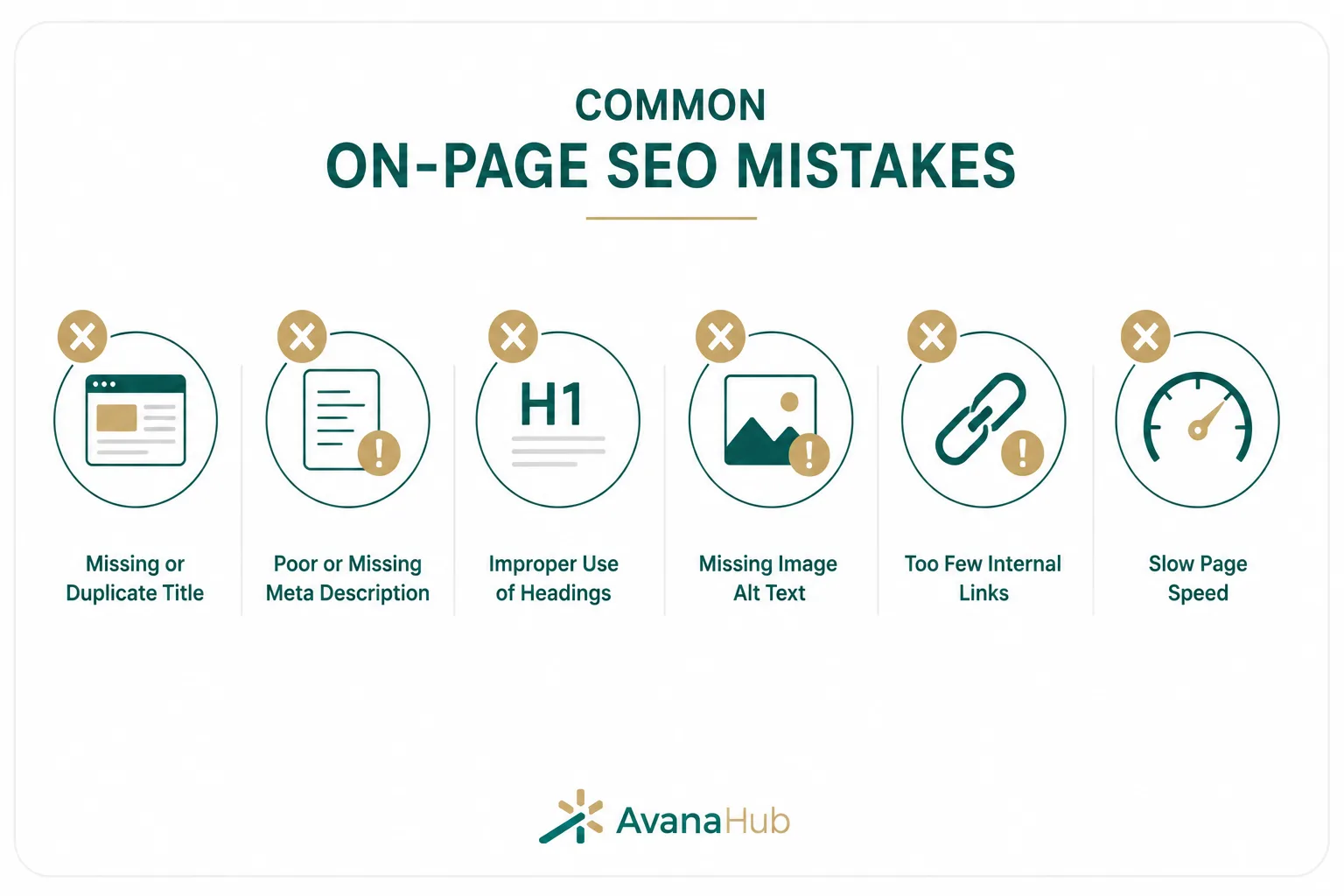
On-page SEO mistakes usually happen when content is created for search engines first and users second. The most common errors include:
- Targeting a keyword without checking search intent
- Writing a title that does not match the article
- Using several H1 tags unnecessarily
- Repeating the primary keyword too often
- Publishing thin content that does not answer the query
- Ignoring internal links
- Adding irrelevant external links
- Using large uncompressed images
- Writing vague meta descriptions
- Creating long or unclear URLs
- Forgetting mobile readability
- Adding FAQ sections with weak or duplicate answers
- Using AI content without editing, examples, or expertise
- Not tracking performance after publishing
The most damaging mistake is creating a page that looks optimized but does not help the user complete their task.
A Practical On-Page SEO Workflow for Blog Teams
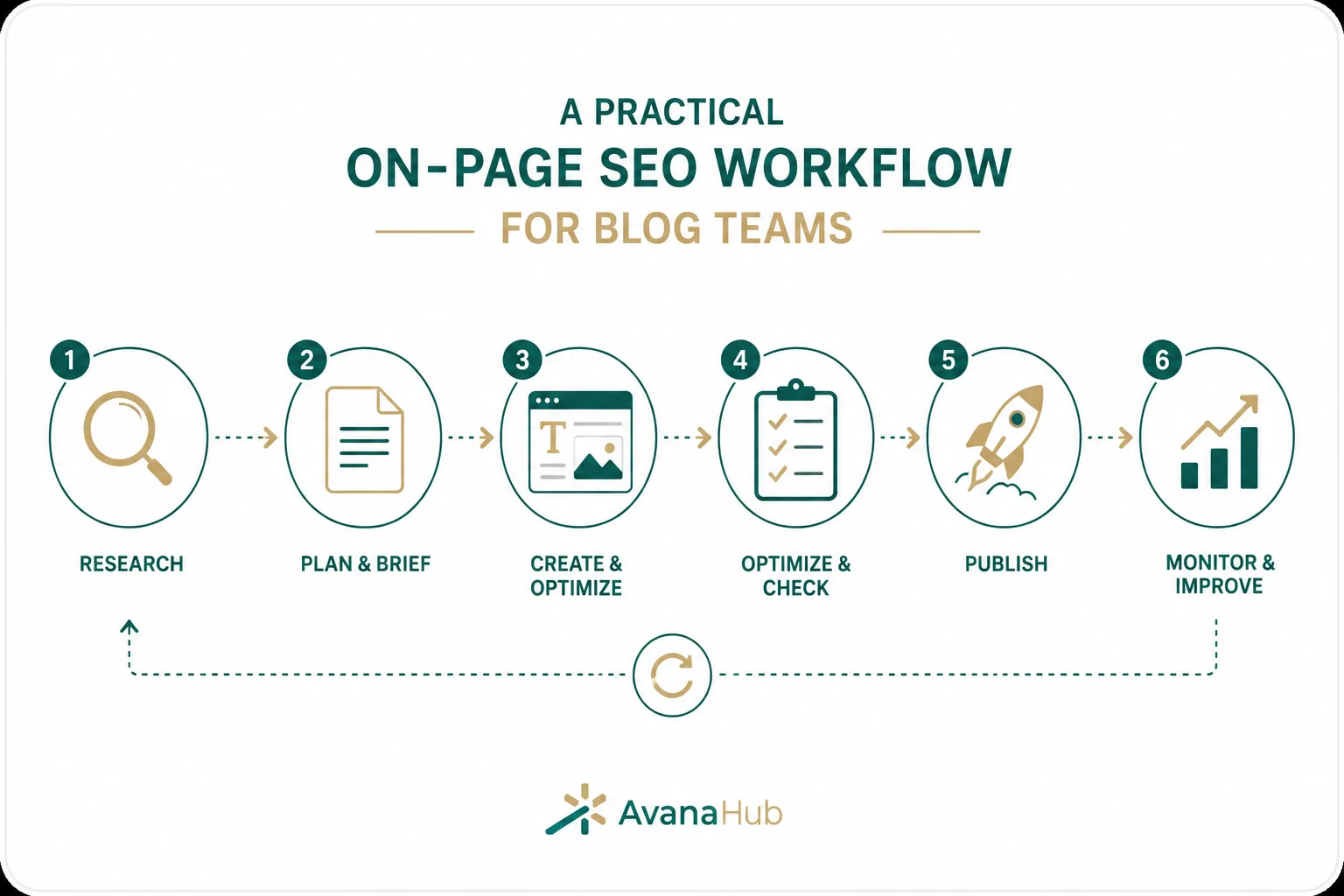
Most on-page SEO checklists focus on individual elements, but teams also need a repeatable workflow. This process reduces missed steps and keeps content quality consistent.
1. Create a Search Intent Brief
Before writing, document:
- Primary keyword
- Secondary keywords
- Search intent
- Target reader
- Required page format
- Competing pages
- Questions to answer
- Internal links to include
- CTA
- Content angle
- Expert input needed
This prevents writers from guessing and helps editors evaluate the article objectively.
2. Use a Two-Pass Editing System
The first edit should focus on substance:
- Is the answer accurate?
- Is the intent satisfied?
- Are there missing subtopics?
- Are examples useful?
- Is the content original enough?
The second edit should focus on optimization:
- Title tag
- H1 and headings
- Keyword use
- Meta description
- Internal links
- Image alt text
- Schema
- Readability
- CTA
Separating these reviews improves both quality and SEO.
3. Assign Ownership After Publishing
Every important blog post should have an owner responsible for monitoring and updates. Without ownership, content decay becomes difficult to manage.
The owner should review:
- Ranking changes
- Search Console queries
- Competitor improvements
- Outdated examples
- Broken links
- Conversion performance
- Internal linking opportunities
This turns blog SEO from a publishing task into a performance system.
4. Set Refresh Triggers
Do not update content randomly. Set clear triggers for review.
Refresh a post when:
- Rankings drop for valuable queries.
- Impressions grow but CTR stays low.
- Competitors add better content.
- The topic changes.
- Internal products or services change.
- The article has outdated screenshots or tools.
- Conversion rate is low despite traffic.
- Search intent shifts in the SERP.
A structured refresh process often delivers faster results than publishing new articles only.
Recommended Tools for On-Page SEO
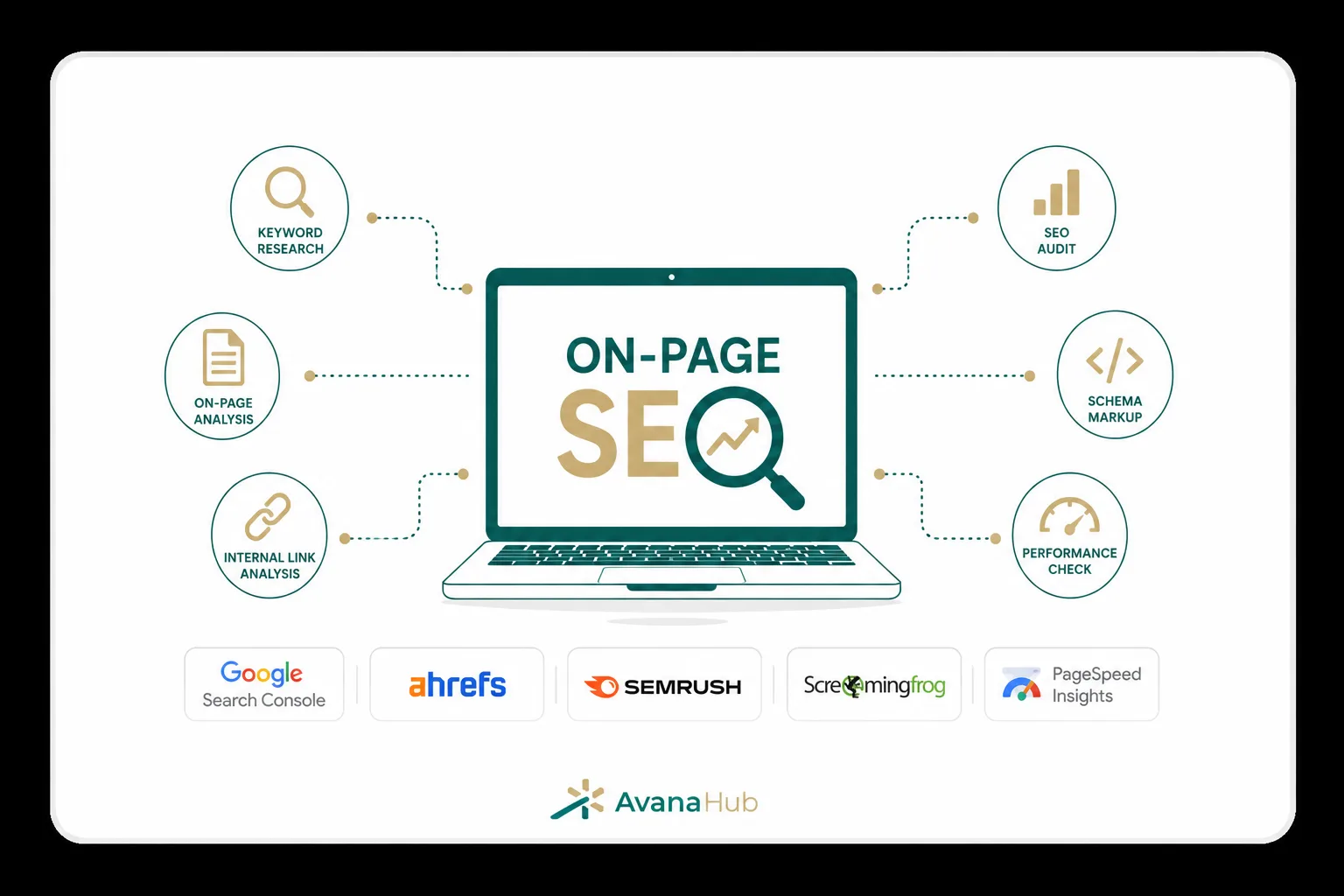
Several tools can support the checklist, but the tool choice should match the task.
Start with Google Search Console, analytics, and a crawler. Advanced tools are useful only when the team has a clear process for acting on the data.
On-Page SEO Checklist Template
Use this template before publishing a blog post:
This checklist should be adapted to the website’s CMS, content workflow, and business goals.
Conclusion
On-page SEO for blog posts works best when keyword targeting, search intent, structure, content quality, internal linking, metadata, images, page experience, and measurement are handled together. A blog post should answer the main query quickly, then provide enough depth to help users act with confidence. Technical details such as title tags, URLs, schema, and image optimization matter, but they cannot compensate for weak content or poor intent alignment. The strongest SEO blog posts are planned before writing, reviewed before publishing, and improved after real performance data becomes available.
For a deeper look at how SEO works beyond blog optimization, you can also read The Complete SEO Guide, which covers the broader principles, strategies, and best practices in more detail.
How many keywords should a blog post target?
A blog post should target one primary keyword theme and several closely related secondary terms. Targeting unrelated keywords in one article can weaken search intent and reduce ranking potential.
Is the meta description still important for blog SEO?
Yes, the meta description is important for click-through rate when Google displays it. It should clearly summarize the article and match the user’s search intent.
How long should an SEO blog post be?
An SEO blog post should be as long as needed to satisfy the search intent. Some topics need 800 words, while complex guides may need 2,000 words or more.
Should every blog post include internal links?
Yes, every important blog post should include relevant internal links. Internal links help users find related content and help search engines understand site structure.
When should I update an old blog post?
Update an old blog post when rankings decline, information becomes outdated, search intent changes, competitors improve their content, or the page has impressions but low clicks.